
Guide
Getting started with Your Hub
What's in Your Hub, where to find it, and how a change gets from you to your site.
What Your Hub is for
Your Good Hub is one place for everything to do with your site: asking Goodness for changes, seeing what changed and when, and, depending on what your site has, changing the words on it yourself, posting jobs and news, and reading what people send through its forms.
Sign in at hub.goodnessdigital.co.nz with the email address your organisation was added with. There's no password. Signing in has the details.
Finding your way around
Everything is in the menu down the left. You only see the parts your site uses and your role allows, so your menu may be shorter than this one.
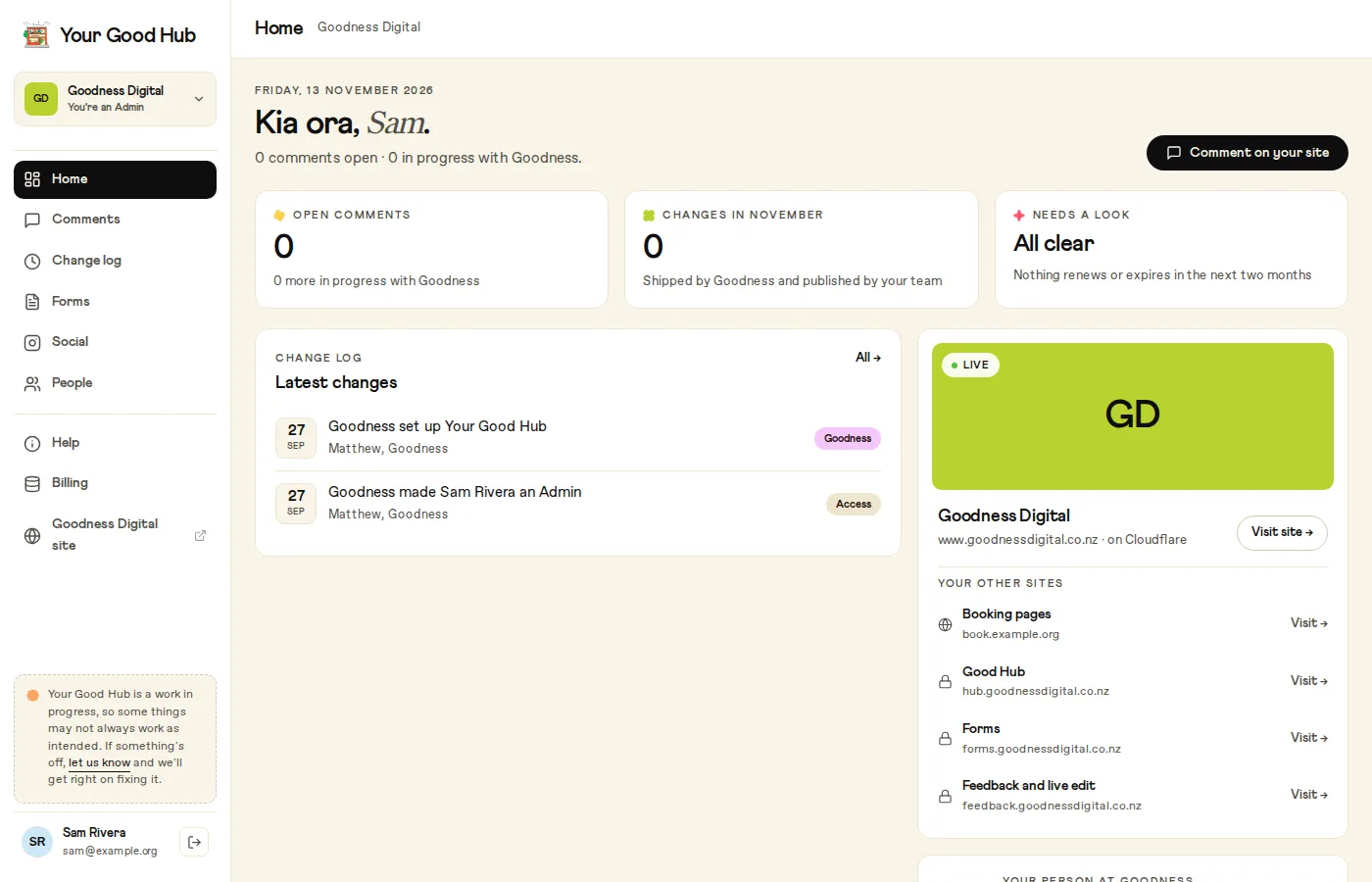
- Home
- Where you land. How many comments are open, what changed this month, anything that renews or expires soon, and a link to your site.
- Comments
- Every change you've asked Goodness for, sorted into Open, In progress and Done. Press Comment on your site to ask for a new one.
- Change log
- What changed on your site, when, and who did it, whether that was Goodness or someone on your team.
- Content
- Only if your site has lists, like jobs, news, team or resources. Add, edit and publish them here. See Posting a job or news.
- Forms
- Only if your site has forms. What people sent through them, and who each form emails. Admins only.
- People
- Who from your organisation can use Your Hub, and what each can do. See Adding a colleague.
- Help
- These guides, picked for your site.
- Billing
- What your organisation pays for its site, and to whom.
- Your site
- The last item opens your live site in a new tab.
Making a change to your site
There are up to three ways, depending on what you'd like changed and what your site has.
- Words and photos on a page. Change them yourself, straight on the page. See Changing the words on your site.
- Something in a list, like a job, a news post or a team member, if your site has lists. Use Content. See Posting a job or news.
- Anything else, like the layout, colours, menus or a new page. Leave a comment on the page and Goodness does it. You can follow it in Comments. See Leaving comments.
Whatever you publish goes live on your site in about a minute, and shows in the Change log. If something looks wrong afterwards, you can undo it, or leave us a comment.
Messages from your site's forms
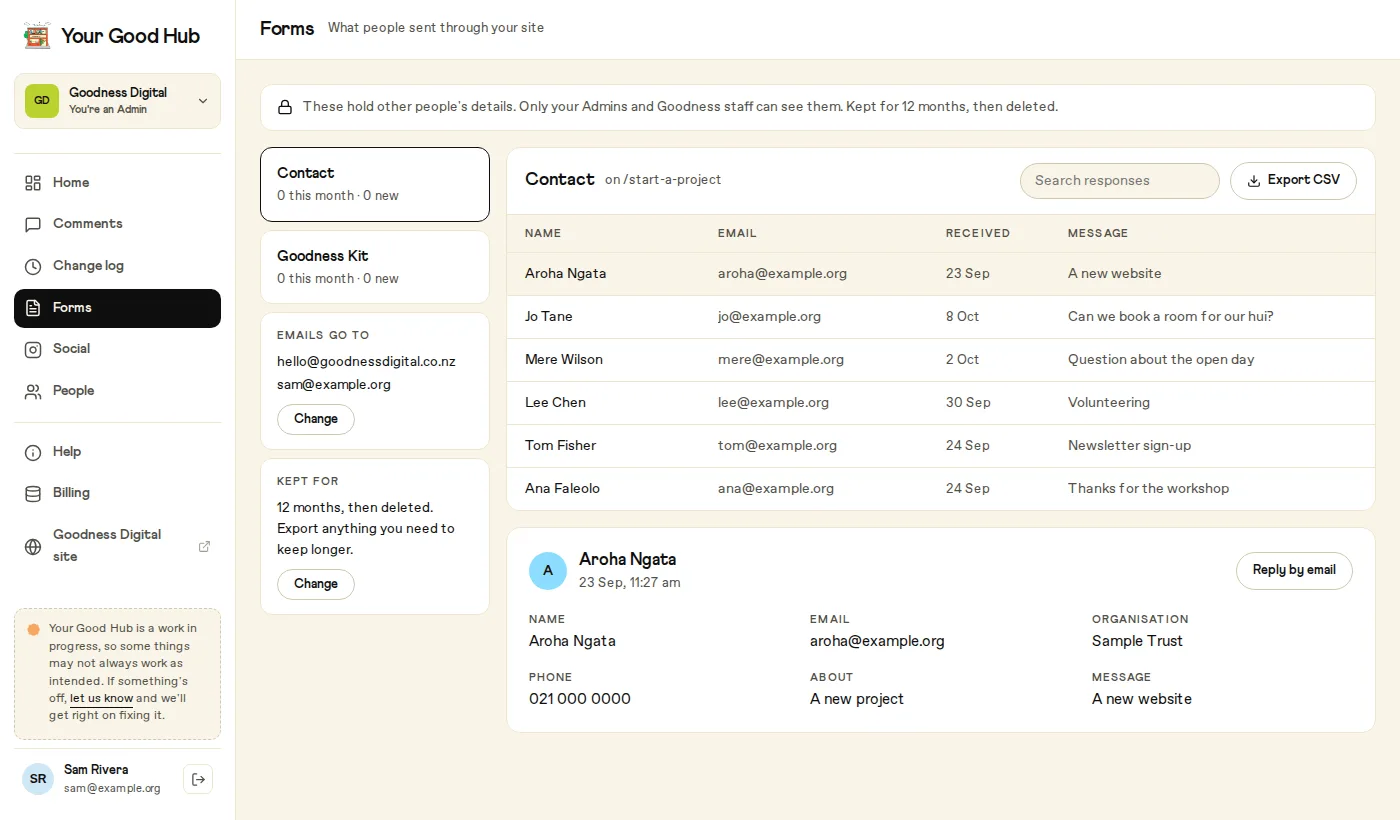
If your site has forms: when someone fills one in, it's emailed to the people listed under Emails go to, and kept in Forms for you to look back on. Admins can change who it goes to and how long it's kept, and export everything as a spreadsheet.
If your site used to be on Webflow
Your site doesn't use Webflow any more, so the Webflow editor no longer changes it. Make your changes in Your Hub instead. Anything changed in Webflow after the move won't carry across.
What Your Hub keeps a record of
Your Hub keeps a general record of how it's used. We use it to see what helps, to improve Your Hub, and to report on the difference our work makes. It stays with Goodness, on our own systems, and never goes to an advertiser or analytics company.
Who to ask
For a change to your site, leave a comment. For anything about Your Hub itself, or if something doesn't work, email Goodness at [email protected].