
Guide
Adding a colleague
Admins can add people to Your Hub and choose what each person can do.
Add someone
- Go to People in Your Hub.
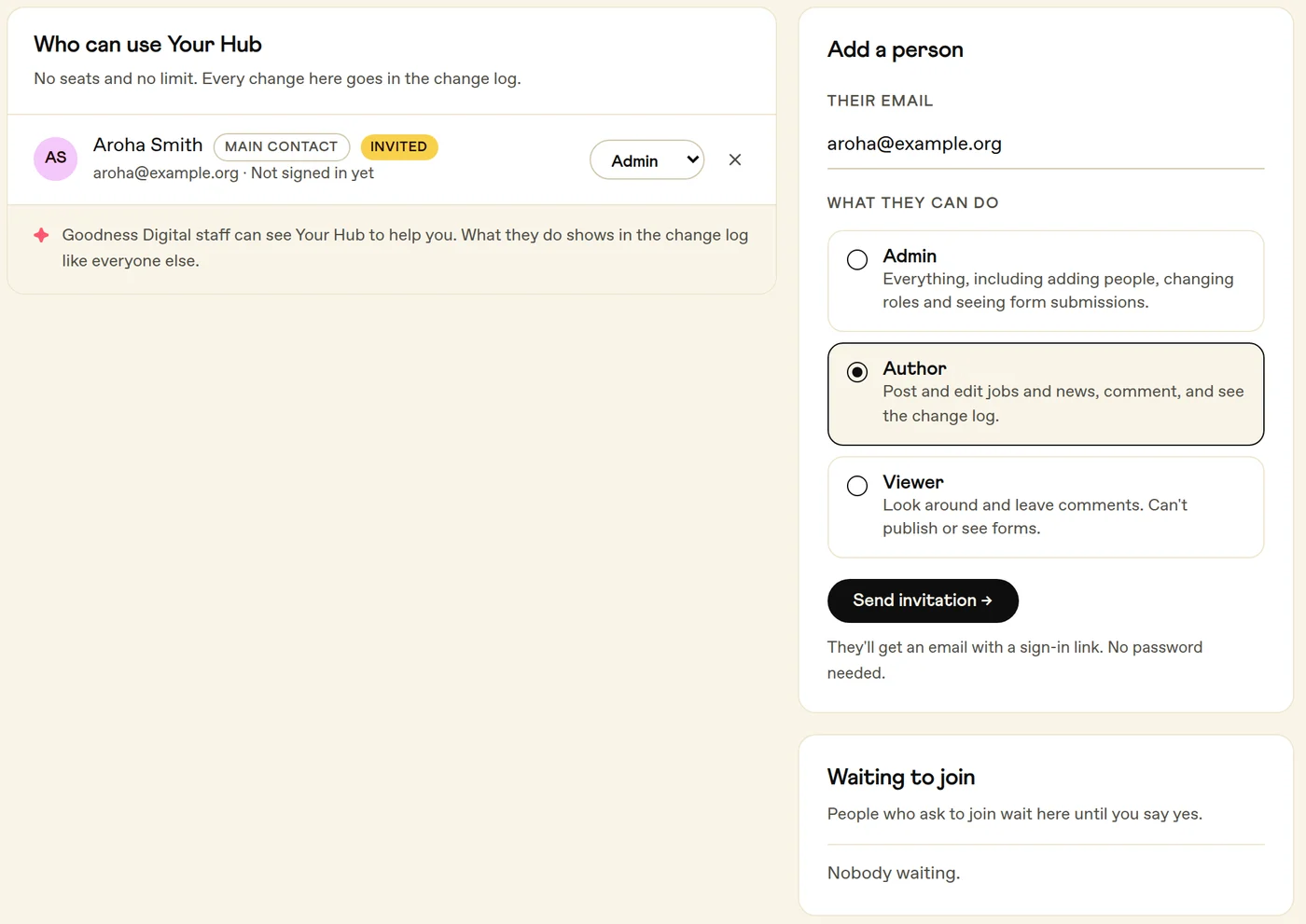
- Under Add a person, type their email address.
- Pick a role: Admin, Author or Viewer. Author is picked for you.
- Press Send invitation. They get an email with a Sign in to Your Good Hub button, and sign in with that email address.
Only Admins can add people. If you're not an Admin, ask one at your organisation.
What each role can do
- Admin
- Adds and removes people, publishes jobs and news, reads what people send through your site's forms, comments on your site, and sees the change log and billing.
- Author
- Publishes jobs and news, comments on your site, and sees the change log and billing.
- Viewer
- Comments on your site, and sees the change log and billing.
Good to know
- Change someone's role from the menu beside their name, or press the cross to remove them.
- Your organisation always keeps at least one Admin, so you can't remove or change the last one.